If your website feels slow, jumps around while loading, or you're seeing Core Web Vitals warnings in Google Search Console, you're not alone. I work with small businesses across Sunbury and Melbourne who are dealing with exactly these problems - and the good news is, most of them can be fixed without a full rebuild.
I'm PK, a Sunbury-based web developer. Over the past few years, I've helped dozens of local businesses fix slow sites, improve their search rankings, and get their websites working properly again. Here's how I approach it, what I look for, and when a full rebuild is actually worth it.
Why slow sites hurt local businesses#
When your website takes more than a few seconds to load, or elements shift around while someone's trying to click a button, you're losing potential customers. Google's Core Web Vitals focus on three key areas:
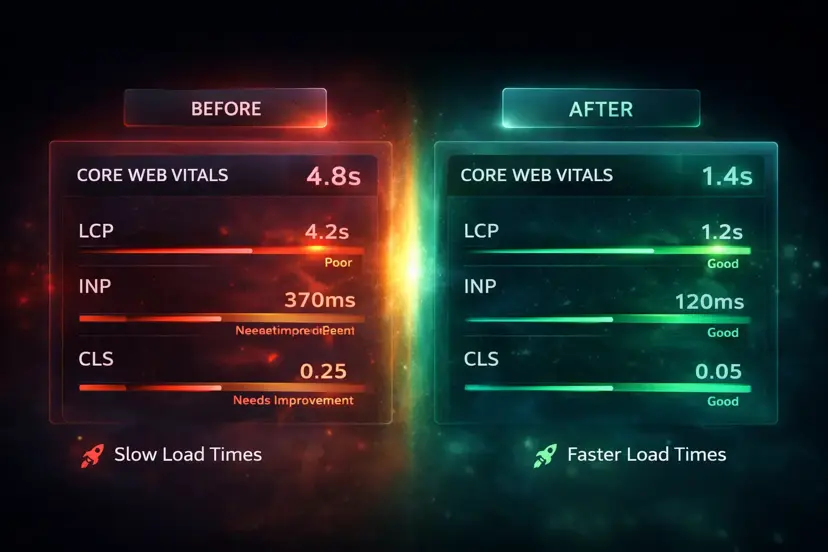
- Largest Contentful Paint (LCP): How quickly the main content appears. If it's over 2.5 seconds, visitors start leaving.
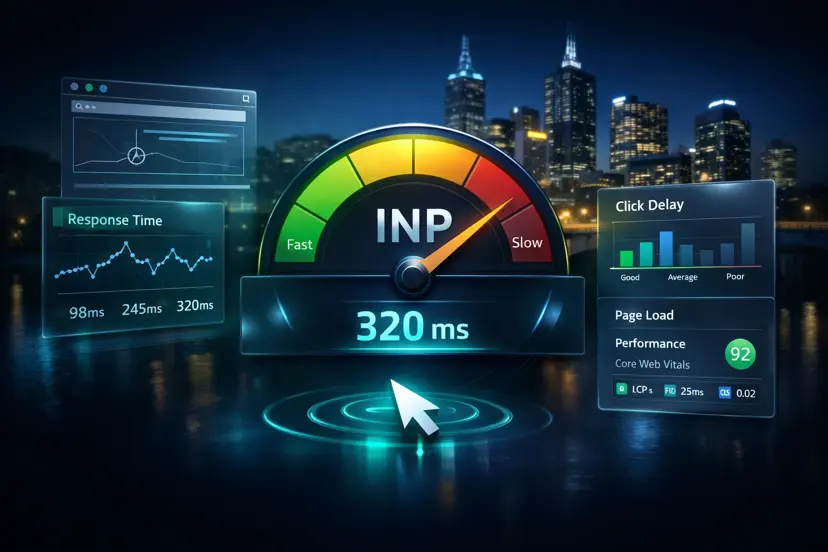
- Interaction to Next Paint (INP): How responsive your site feels when someone clicks or taps. High INP scores mean your site feels laggy when people interact with it.
- Cumulative Layout Shift (CLS): Whether elements jump around while loading. A score over 0.1 means your site feels unstable.
If you've heard of First Input Delay (FID), that's the metric Google used previously - INP has now replaced FID as the official Core Web Vital for responsiveness.
These metrics directly impact your search rankings. Google uses them to decide whether your site provides a good user experience - and if it doesn't, you'll struggle to rank well, even if your content is solid.
For local businesses in Sunbury and Melbourne, this is especially important. When someone searches for "plumber Sunbury" or "café Melbourne north-west", they're looking for quick answers. If your site loads slowly or feels broken, they'll click the next result instead.
What I look at in a Pagelyze website health check#
Before I start making changes, I run a Pagelyze website health check. This gives me a clear picture of what's actually wrong - not just assumptions. The audit covers four key areas:
- Speed & Core Web Vitals: Page load times, LCP, INP, and CLS scores. I see exactly which resources are blocking rendering and which images are too large.
- SEO fundamentals: Missing meta titles, duplicate content, broken heading structure, and missing alt text. These are the basics that help search engines understand your site.
- Accessibility basics: Colour contrast, keyboard navigation, and semantic HTML. An accessible site works for everyone and often ranks better too.
- Mobile friendliness: Responsive layout issues, viewport problems, and mobile-specific performance bottlenecks.
The Pagelyze report prioritises issues by impact, so I know what to fix first. A missing meta title is quick to fix and can improve search visibility immediately. A 5MB hero image needs optimisation, but it might not be the highest priority if your site structure is broken.
Want a quick diagnosis first?
Run a free audit with Pagelyze to see speed, SEO, accessibility, and mobile issues before you pay to fix the wrong thing.
Common issues I see on WordPress and small business sites#
After running hundreds of audits, I've noticed patterns. Here are the most common problems I find:
- Unoptimised images: Uploading a 3MB photo from your phone and using it as a hero image. WordPress doesn't automatically compress images, so they stay huge and slow down your site.
- Too many plugins: Installing 20+ plugins that load CSS and JavaScript on every page, even when they're not needed. Each plugin adds weight to your site.
- No caching: Every page request hits the database, even for static content. Without caching, your server has to work harder and pages load slower.
- Missing meta tags: No meta title or description, or the same one on every page. Search engines don't know what your pages are about.
- Broken heading structure: Jumping from H1 to H3, or using headings for styling instead of content hierarchy. This confuses search engines and screen readers.
- Render-blocking resources: CSS and JavaScript files that block the page from rendering until they're loaded. Critical CSS should be inlined, and non-critical JS should load asynchronously.
- No lazy loading: Loading all images at once, even ones below the fold. This wastes bandwidth and slows down initial page load.
- Poor hosting: Shared hosting that can't handle traffic spikes, or a server in the wrong location (hosting in the US when your customers are in Melbourne).
The good news? Most of these can be fixed without rebuilding your site. I can optimise images, set up caching, fix meta tags, and clean up your heading structure in a few hours. You'll see improvements immediately.
Before/after: what changes clients actually feel#
I don't just fix things to improve Lighthouse scores - fix things that make a real difference to your business. Here's what clients notice:
- Faster page loads: A site that used to take 8 seconds now loads in 2–3 seconds. Visitors don't bounce before the page finishes loading.
- Better search rankings: After fixing meta tags and heading structure, pages start ranking for relevant keywords. One client went from page 3 to page 1 for "Sunbury web developer" in a few weeks.
- More enquiries: When your site loads quickly and feels trustworthy, people are more likely to contact you. One medical clinic saw a 40% increase in contact form submissions after speed improvements.
- Fewer support calls: When buttons don't jump around and forms work properly, you get fewer confused phone calls from customers who can't find what they need.
- Mobile works properly: Text is readable, buttons are tappable, and the site doesn't break on phones. Most of your traffic is probably mobile, so this matters.
These aren't vanity metrics - they're real business outcomes. A faster, more reliable website means more leads, better search visibility, and fewer headaches.
When a full rebuild is worth it vs just fixes#
I'm honest about when patching isn't enough. Here's when I recommend a rebuild:
- Your site is built on outdated technology: If you're running WordPress 4.x or an old PHP version, security updates are limited. A rebuild on modern tech is safer and faster.
- The design is fundamentally broken: If the layout doesn't work on mobile and can't be fixed with CSS, a rebuild is more efficient than trying to patch a broken foundation.
- You need features your current platform can't support: If you need complex e-commerce, custom integrations, or headless CMS functionality, a rebuild might be the right path.
- Fixes would cost more than a rebuild: If I'm going to spend 40 hours patching issues, it might be better to spend 60 hours building something new that works properly from the start.
But most of the time, fixes are enough. If your site is built on WordPress, React, Vue, or another modern platform, I can usually improve speed, SEO, and usability without starting from scratch. I'll tell you upfront if a rebuild would be better value.
How I work with Sunbury & Melbourne clients#
I'm based in Sunbury, but most of my work is done remotely. Here's my process:
- Quick chat: We talk about what you're noticing - slow loads, low rankings, broken pages, whatever it is. I ask about your goals and budget.
- Pagelyze audit: I run a free Pagelyze website health check to see what's actually wrong. This gives us both a clear picture.
- Prioritised quote: I review the results, identify what will make the biggest difference, and give you a fixed-price quote. No surprises, no hourly billing that runs away from you.
- Implementation: Once you approve, I fix the issues in your code, theme, or hosting setup. I work in a staging environment when possible, so your live site stays up.
- Before/after summary: You get a clear summary of what changed and before/after metrics. If helpful, I can record a quick Loom video walking through the improvements.
I work with businesses across Sunbury, Melbourne's north-west, and the wider metro region. Location isn't a barrier - as long as we can meet online and you can share access to your site, we can work together.
Most clients are small business owners, local trades, medical clinics, professional services, or e-commerce stores. They don't need a massive agency - they need someone who can fix their site quickly, communicate clearly, and deliver results.
Next steps: run a free Pagelyze check or request a quote#
Don't guess what needs fixing. If your site feels slow, your search rankings have dropped, or you're seeing Core Web Vitals warnings, let's find out what's actually wrong.
You can run a free Pagelyze website health check right now - it takes less than a minute and gives you actionable insights. Or, if you already know you need help, get in touch and I'll run the audit as part of our initial conversation.
I also offer website speed and SEO fixes as a dedicated service, and I can help with Website Fixes if you're dealing with broken pages, plugin conflicts, or post-launch issues.
Your website is often the first impression potential customers have of your business. Make sure it's a good one.